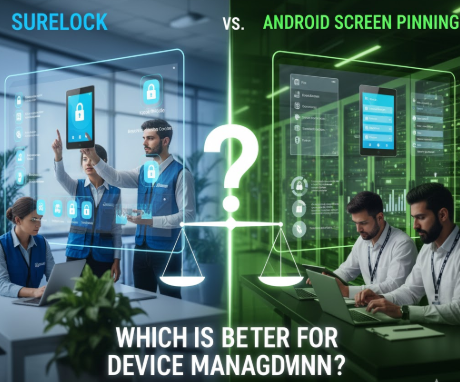
These days, firms are seeking the most suitable mechanisms to ensure that they are protecting and managing their Android devices. SureLock business and Android Screen Pinning business are two of the most popular ones. The two are used in the same manner to restrict the user access, but the difference between features, scalability and flexibility is very much pronounced. Thus, it is important to businesses to know what the more advantageous path to them is, be it purchasing SureLock for business or Android Screen Pinning for business.
What is Surelock the Business?
SureLock business is an effective lockdown software that will turn any Android device into a specific kiosk. It enables the IT administrators to allow certain applications, disallow settings, turn off hardware buttons, and even remotely track devices.
SureLock for business offers full control and straightforward management, whether your company is in the retail, logistics, or field service. It is a plan or subscription-based online software that provides versatile SureLock licenses to single or multiple devices. By purchasing SureLock as a business, you will be provided with an enterprise-level of support, advanced analytics, and scalable subscriptions for all organization sizes.
What Is Android Screen Pinning?
Android Screen Pinning is a built-in Android feature that locks to a single app on the screen, so that the user is not able to log out of the app. It is a free and basic security option, which is helpful for small businesses or short-term use. But its functionality is limited; in this case, you will not get centralized dashboards, remote control, or multi-device management.
Feature Comparison of Both Software
Below is a detailed comparison of SureLock and Android Screen Pinning to help businesses make an informed decision.
| Feature / Criteria | SureLock for Business | Android Screen Pinning for Business |
| Purpose | Full-featured mobile lockdown and kiosk mode | Basic app restriction feature |
| Device Compatibility | Android, Windows, iOS, macOS | Android only |
| Ease of Setup | Requires installation and setup via online software | Built-in, easy to enable |
| Customization Options | Extensive – custom branding, layouts, user interface | Very limited customization |
| Remote Management | Yes – remote updates, monitoring, and policy control | No remote management |
| Security Level | High – supports password, MDM policies, and lockdown plans | Basic – single-app restriction |
| Scalability | Suitable for large-scale enterprise deployments | Limited to small or individual setups |
| Licensing & Subscription | Available through SureLock licenses and flexible plans | Free, no license model |
| Technical Support | Dedicated enterprise-grade support | Community and device manufacturer support only |
| Reseller Availability | Purchase through an authorized reseller of SureLock | Rarely available through reseller of Android Screen Pinning |
| Pricing | Paid, with flexible subscription options | Free |
Key Differences in Real-World Use (Hinglish Version)
If your setup is small, like running a POS app on a single tablet, then Android screen pinning can be the perfect option for you. It is free, simple, and there is no need for a license.
However, as soon as you handle multiple devices or remote teams, this feature seems limited. You cannot remotely manage updates, monitoring, or security policies.
On the other hand, SureLock for business provides complete control. IT teams can monitor all devices from a single dashboard, prevent misuse, and increase productivity. Locking devices to specific apps, creating custom interfaces, and controlling connectivity—all of this becomes easy with SureLock.
Why Businesses Choose SureLock
In today’s world, it is very important for companies to secure their devices and ensure that they are correct. That’s why most of the enterprises prefer SureLock for business. It is an advanced solution that provides device lockdown, remote monitoring, and centralized control.
SureLock for business supports multiple platforms and also offers browser lockdown, app whitelisting, and custom policies. Businesses are able to choose monthly or annual plans and subscriptions on the basis of their size.
While Android Screen Pinning for business is simple and free, it is also limited. It is not only an app pin, but multiple devices also can’t be managed. Best for small companies, but as your business grows, you need to buy Surelock for your business.
Final Thoughts
Both solutions are very helpful in their own place. If the business needs long-term, scalable, and secure device management, then SureLock can be the perfect option. Whether you buy it directly or from a reseller of SureLock, you will get proper control and reliable support.
Assuming that your organization is a potential consumer of mobility management, software licensing, or enterprise subscriptions, then contacting renowned partners such as Wroffy would be a good idea. Wroffy is a trusted software provider with online solutions and reseller services that make the process of procurement and administration easier.