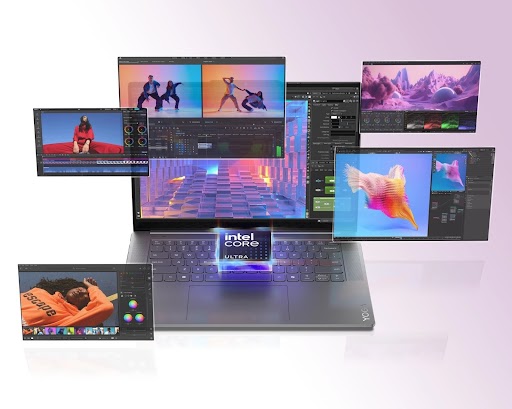
Choosing a laptop in 2026 is no longer just about speed or storage. Technology now works with intelligence. An AI-enabled laptop utilizes machine learning neural engines and on-device intelligence to continually enhance its performance.
Gartner predicts that AI PCs will account for 55% of the market by 2026, as enterprises seek to further invest in AI capabilities.
This sharp rise proves one thing clearly. Users want systems that think, adapt, and protect data locally. Students need smarter learning tools. Professionals need faster workflows. Creators need real-time performance.
An AI-enabled laptop meets all these needs in a simple way. It works quietly behind the scenes, improving daily tasks incrementally. That steady support makes users feel confident. When technology feels helpful and reliable, the investment starts to make sense.
Keep reading to learn what makes an AI-enabled laptop worth your investment in 2026.
1. Adaptive Performance Powered by AI Processing Units
An AI laptop utilizes a neural processing unit in conjunction with a CPU and a GPU. This setup allows intelligent task scheduling. The AI enabled laptop determines which processor handles each task, and heavy tasks are assigned to the GPU. AI tasks move to the NPU. Everyday actions stay on the CPU. This balance keeps the system fast and efficient. The laptop avoids overload and reduces heat.
How Intelligent Workload Distribution Improves Speed
AI monitors real-time usage patterns. It predicts which apps need more power. Then it shifts resources instantly. Each task flows seamlessly into the next one. Users feel consistent speed without manual tuning.
Key performance benefits include:
- Faster app launch through predictive caching.
- Stable multitasking with reduced latency.
- Lower thermal output during long sessions.
2. Advanced Battery Optimization Using Machine Learning
Battery management improves greatly with AI. The system studies screen brightness, background services, and user behavior. It then applies dynamic power scaling. AI also manages charging cycles. This protects battery health over time.
Why Smart Power Algorithms Matter Daily
Power efficiency supports mobility. Users work longer without worrying about charging. Every saved minute adds up. The laptop stays reliable throughout the day.
Major battery gains include:
- Adaptive refresh rate control.
- Background process limitation.
- Longer lithium battery lifespan.
3. Proactive Cybersecurity With AI Threat Detection
Security systems in AI-enabled laptops use behavioral analysis. They detect unusual access patterns. This helps prevent malware from causing damage. AI models work locally. This protects privacy and reduces cloud dependency.
Always-On Protection Without User Effort
The system reacts instantly to threats. It blocks risky actions automatically. Protection stays active at all times. Users focus on work without fear.
Security advantages include:
- Biometric authentication using facial recognition.
- Real-time anomaly detection.
- Secure data isolation at the hardware level.
4. Intelligent Audio and Video Processing for Communication
AI improves virtual meetings using signal processing and computer vision. Noise suppression removes background sounds. Voice enhancement boosts clarity. The camera uses AI framing and exposure control.
Clear Calls Build Stronger Interaction
Communication quality affects productivity. AI ensures stable output. Each call feels professional and natural. That improves collaboration.
Meeting improvements include:
- Echo cancellation for clear speech.
- Auto lighting correction.
- Eye contact alignment through AI vision.
5. Accelerated Creative Workflows With AI Acceleration
Creative software now uses AI acceleration. An AI-enabled laptop supports real-time rendering and smart edits. AI tools assist in photo retouching, video stabilization, and content generation.
Faster Creation Without Workflow Breaks
Speed keeps creativity alive. AI removes waiting time. Each idea moves forward without delay. That keeps momentum strong.
Creative advantages include:
- AI-assisted image upscaling.
- Smart timeline editing.
- Real-time preview rendering.
6. Personalized Computing Through Continuous Learning
AI-enabled laptops learn user habits. They adapt the interface layout, shortcuts, and notifications. This personalization improves focus. The system evolves with changing needs.
A Laptop That Adjusts to Your Style
AI builds a custom environment over time. The device feels intuitive and supportive. Work becomes easier every day.
Personal features include:
- Smart task reminders.
- Adaptive app prioritization.
- Context-aware suggestions.
7. Long-term Value With Future-Ready Architecture
AI-enabled laptops rely on software-driven intelligence. Updates improve features without hardware changes. This extends device life. Support for future AI apps ensures relevance.
A Smarter Investment That Lasts Longer
Longevity protects cost. AI keeps the system current. Each year adds usefulness instead of limits.
Future-ready benefits include:
- Ongoing AI model updates.
- Compatibility with next-gen software.
- Higher resale value.
Conclusion
An AI-enabled laptop in 2026 delivers more than performance. It delivers intelligence, balance and trust. From adaptive processing to secure data handling, every feature works together. Each reason strengthens the next one. That connection creates a smooth user experience.
Market trends already confirm the shift toward AI-driven computing. For students, professionals and creators, this technology supports growth and flexibility. An AI-enabled laptop does not just meet today’s needs. It prepares users for future demands. That combination of smart features and long-term value makes the investment truly worthwhile